Starting a Computer Business Center
When venturing into the world of computer business, it’s crucial to lay a strong foundation for success. This section focuses on the basics of starting a computer business center, including understanding the industry, identifying your niche, setting competitive rates, and effectively marketing your services.
Understanding the Basics
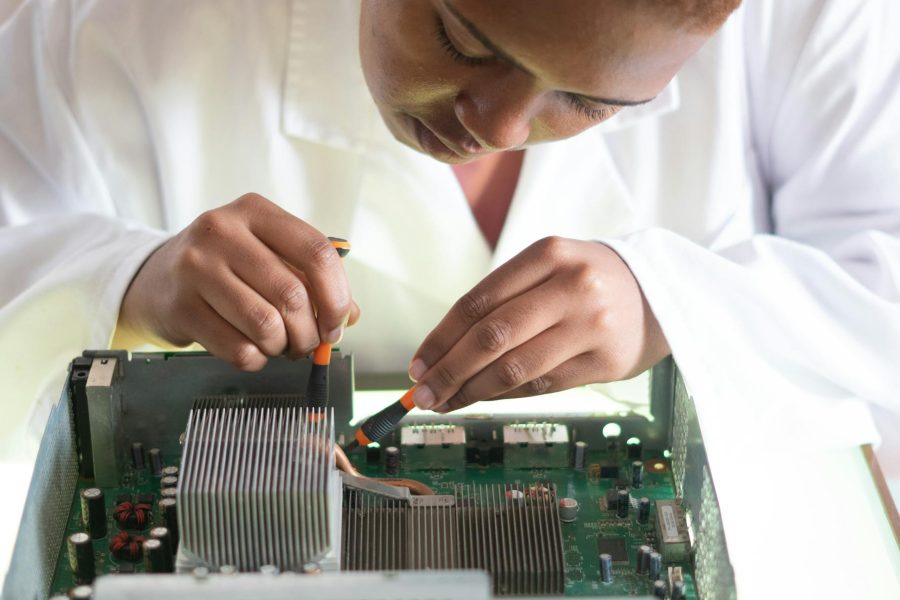
Before diving into the computer business industry, it’s essential to have a solid understanding of the services you plan to offer. Computer business centers typically provide a range of services, including computer repair, software installation, hardware upgrades, virus removal, data recovery, and network setup. Researching the local market to understand demand and competition in your chosen niche is vital (LinkedIn).
Identifying Your Niche
To stand out in the computer business center industry, it’s crucial to identify your niche. Consider specializing in specific services or catering to a particular target market. By focusing on a niche, you can differentiate your business from competitors and establish a reputation for expertise in that area. This could involve specializing in areas such as virus removal, data recovery, hardware upgrades, software installation, or network setup.
Setting Competitive Rates
Setting rates for your computer business center can be a challenge. Factors to consider when determining rates include costs, skills, value proposition, market rates, and the type of pricing structure you want to offer (hourly, flat, or package rates). Consistency and transparency in pricing are crucial for building customer trust and loyalty (LinkedIn).
Marketing Your Services
Effective marketing is essential for the success of your computer business center. Start by creating a professional website that showcases your services, expertise, and contact information. Utilize social media platforms to engage with potential customers and share valuable content related to computer maintenance and troubleshooting. Consider traditional marketing methods such as distributing flyers in local neighborhoods or networking with other businesses to expand your reach. Identifying a unique selling proposition and clearly communicating the value of your services will help attract potential customers to your business (LinkedIn).
By understanding the basics of the computer business industry, identifying your niche, setting competitive rates, and implementing effective marketing strategies, you can lay a strong foundation for your computer business center. Remember to adapt and evolve as technology advances and customer needs change, ensuring that your services remain relevant and valuable in the ever-evolving world of computers and technology.
Essential Hardware Components
When setting up a computer business center, selecting the right hardware components is crucial for ensuring efficiency and productivity. This section will explore the essential hardware components needed for a successful computer business center setup, including choosing the right computers, the importance of external hard drives, Wi-Fi routers for seamless connectivity, and network server solutions.
Choosing the Right Computers
Investing in high-quality computers is essential for a computer business center. It is recommended to acquire both desktop and laptop computers to provide versatility and minimize downtime in case of system breakdown. Desktop computers offer superior processing power and storage capacity, while laptops provide mobility and flexibility for on-the-go tasks. Having a combination of both ensures that your business can handle a variety of tasks efficiently and effectively (Inet Solutions).
Consider the specific requirements of your computer business center, such as the software applications you will be using, the processing power needed, and the storage capacity required. Research different computer models and specifications to find the ones that best suit your needs and budget. It’s important to strike a balance between performance, durability, and cost-effectiveness to ensure long-term success.
Importance of External Hard Drives
In any computer business center setup, the importance of external hard drives cannot be overstated. These devices serve as a crucial backup solution for sensitive business data, providing a safer alternative to cloud storage. External hard drives allow you to store and backup data locally, protecting it in case of disasters like floods or fires. They also offer the advantage of quick and easy access to files and data, without being dependent on an internet connection (Inet Solutions).
When selecting an external hard drive, consider factors such as storage capacity, data transfer speed, and durability. It’s advisable to choose a reputable brand known for reliability and data security. Regularly backing up your business data to an external hard drive is essential to protect against data loss and ensure business continuity.
Wi-Fi Router for Seamless Connectivity
A reliable Wi-Fi router is a fundamental component of a computer business center. It provides a clutter-free method of keeping the work environment connected and ensures high-speed internet connectivity for all connected devices. With a robust Wi-Fi connection, employees can collaborate, access online resources, and communicate efficiently, enhancing overall productivity.
When choosing a Wi-Fi router, consider factors such as range, speed, security features, and the number of simultaneous connections it can support. It’s important to invest in a router that can handle the demands of your business, providing seamless connectivity without interruptions or slowdowns.
Network Server Solutions
In a computer business center, a network server solution is essential for supporting applications, email, databases, and other files. The choice of a network server solution should be based on factors such as security, backup capabilities, and storage needs. It provides a centralized location for data storage, simplifies data management, and allows for efficient collaboration within the business center.
Consider the specific requirements of your computer business center when selecting a network server solution. Research different options, such as file servers, database servers, or application servers, to find the one that aligns with your business needs. It’s important to ensure that the server solution provides the necessary security measures to protect sensitive business data.
By carefully selecting the essential hardware components for your computer business center, you can create a productive and efficient work environment. Choosing the right computers, utilizing external hard drives for data backup, having a reliable Wi-Fi router, and implementing a network server solution will lay the foundation for a successful computer business center setup.
Cybersecurity Best Practices
In today’s digital landscape, cybersecurity is a crucial aspect of operating any business, including a computer business center. Implementing effective cybersecurity practices helps protect sensitive data, prevent unauthorized access, and safeguard the overall integrity of your business. Here are some essential cybersecurity best practices that every computer business center should follow:
Training Employees in Security Principles
One of the fundamental steps in ensuring cybersecurity is training your employees in security principles. This includes educating them about the importance of strong passwords, the risks associated with phishing attacks, and the need to keep software and systems up to date. By providing regular training sessions, you can empower your employees to take an active role in maintaining the security of your business.
Creating Backup Copies of Important Data
Creating backup copies of important business data is crucial for mitigating the risk of data loss. Regularly backing up critical files, such as word processing documents, databases, and financial files, is essential. Consider utilizing offsite backup solutions or cloud-based services to ensure that your data is securely stored and easily recoverable in the event of a data breach or system failure.
Controlling Employee Access to Data Systems
Limiting employee access to data systems is an important cybersecurity measure. By controlling access to sensitive information, you can minimize the risk of unauthorized data breaches. Implement user account management protocols, such as strong password policies and multi-factor authentication, to ensure that only authorized individuals can access confidential data.
Ensuring Network Security
Maintaining a secure network is crucial for protecting your computer business center against cyber threats. To enhance network security, consider implementing the following measures:
- Enable firewalls: Firewalls act as a barrier between your internal network and the external internet, filtering out potential threats.
- Regularly update software and systems: Keeping your software and systems up to date with the latest security patches helps address vulnerabilities and protect against potential exploits.
- Implement strong wireless security: Secure your Wi-Fi network with encryption, such as WPA2, and use a strong password to prevent unauthorized access.
- Regularly monitor network activity: Monitor your network for any suspicious activity or anomalies that may indicate a potential breach.
By following these cybersecurity best practices, you can proactively protect your computer business center and the sensitive data it handles. It’s important to stay vigilant, regularly review and update your security measures, and adapt to emerging threats to ensure the ongoing protection of your business. For more information on cybersecurity best practices, you can refer to resources like the FCC’s Small Biz Cyber Planner 2.0 and the FTC’s Business Security Basics.
Business Management Software
In the fast-paced world of running a computer business center, having the right tools to streamline work and boost productivity is essential. Business management software provides a centralized platform for managing various aspects of your business, from task management to collaboration and project reporting. Let’s explore some key features and benefits of business management software for computer business centers.
Streamlining Work with ProofHub
One popular business management software for computer business centers is ProofHub. It is an all-in-one platform that helps businesses manage work in an organized manner. With ProofHub, you can keep all your tasks, projects, and communication in one place, eliminating the need for multiple tools and reducing clutter.
Boosting Productivity with Task Management
Task management is a crucial aspect of any computer business center. Business management software like ProofHub offers robust task management features that allow you to break down projects into manageable tasks, assign resources, and track progress. This ensures that everyone on your team knows what needs to be done and when, promoting efficiency and productivity.
Collaboration Tools for Effective Teamwork
Effective teamwork is key to a successful computer business center. Business management software provides collaboration tools that facilitate seamless communication and collaboration among team members. With features like file sharing, real-time chat, and discussion boards, you can keep everyone connected and informed, ensuring smooth workflows and efficient problem-solving.
Project Reporting for Better Insights
Business management software captures valuable data about your projects, operations, customers, and finances. This data can be analyzed to gain insights and make data-driven decisions. With project reporting features, you can generate reports that provide a comprehensive overview of your projects, including progress, timelines, resource utilization, and potential roadblocks. These insights enable you to identify areas for improvement and make informed business decisions.
By implementing the right business management software, you can streamline work, enhance collaboration, and gain valuable insights into your computer business center. ProofHub and other similar platforms offer a range of features and benefits that can help you stay organized, improve productivity, and ultimately achieve success in your business.
Common IT Problems and Solutions
Running a computer business center comes with its fair share of IT challenges. Being prepared to tackle these common problems can help ensure the smooth operation of your business. Here are some common IT problems and their solutions.
Ensuring Network Stability
Network instability can disrupt business operations and cause frustration for both employees and customers. To ensure network stability, it is important to:
- Regularly monitor network performance to identify and address any issues promptly.
- Invest in reliable networking equipment, such as routers and switches, to maintain a stable connection.
- Implement redundancy measures, such as backup internet connections, to minimize downtime.
- Engage the services of IT professionals to regularly maintain and optimize your network infrastructure.
- Consider implementing network management software to proactively monitor and manage your network.
Addressing Lack of IT Experience
Many businesses face the challenge of not having sufficient IT expertise in-house. Addressing this issue can be done through:
- Outsourcing IT services to managed service providers who have the necessary expertise and experience.
- Hiring qualified IT professionals who can handle the day-to-day IT operations and support.
- Providing training and professional development opportunities for existing staff to enhance their IT skills.
- Collaborating with IT consultants or firms to provide guidance and support for complex IT projects.
Updating Outdated Technology
Outdated technology can hinder productivity, increase security risks, and limit business growth. To address this problem:
- Regularly assess your technology inventory to identify outdated equipment and software.
- Create a technology upgrade plan to systematically replace outdated systems and devices.
- Stay informed about the latest advancements in technology and evaluate their potential benefits for your business.
- Consider leasing or financing options to manage the cost of upgrading technology.
- Collaborate with IT vendors and consultants to ensure a smooth transition during the upgrade process.
Implementing Data Backup Strategies
Data loss can have severe consequences for any business. To implement effective data backup strategies:
- Regularly back up critical business data to both on-site and off-site locations.
- Automate the backup process to ensure consistency and reliability.
- Test the data restoration process periodically to verify the integrity of backups.
- Consider using cloud-based backup solutions for added security and accessibility.
- Train employees on the importance of data backup and their role in maintaining data integrity.
By addressing these common IT problems proactively, you can minimize disruptions, enhance productivity, and ensure the long-term success of your computer business center. Remember that seeking professional assistance and staying up to date with the latest IT practices can greatly contribute to the efficient management of your IT infrastructure.
Setting Up a Reliable Network
To ensure a smooth and efficient operation of your computer business center, setting up a reliable network is essential. A well-designed network infrastructure enables seamless connectivity, enhances productivity, and improves overall business performance. In this section, we will discuss the key components of a reliable network setup, including choosing the right router, selecting the right network switches, emphasizing the importance of LAN wiring, and enhancing network security.
Choosing the Right Router
When it comes to selecting a router for your computer business center, it is recommended to invest in a commercial-grade router, especially if you have 20 or more devices connected to the network. Commercial-grade routers offer advanced features and capabilities that can handle the network load more efficiently compared to consumer-grade routers. They provide better performance, reliability, and security for your business network (Jones IT).
In areas with dense Wi-Fi networks, such as downtown San Francisco, using dual-band routers can help mitigate interference. By separating IoT devices on the 2.4 GHz band and mobile devices on the 5 GHz band, you can avoid congestion and interference, thus improving the overall network performance and user experience (Jones IT).
Selecting the Right Network Switches
Network switches play a crucial role in connecting multiple devices within your computer business center. For small and medium businesses, there are three types of network switches to consider: unmanaged switches, managed switches, and smart switches.
-
Unmanaged switches are simple to use and cost-effective, making them ideal for small offices. They provide basic network connectivity without the need for configuration or management.
-
Managed switches offer more control and configuration options, making them suitable for larger offices and satellite locations. With managed switches, you have the ability to prioritize traffic, monitor network performance, and implement security measures.
-
Smart switches are a hybrid between unmanaged and managed switches. They offer some level of control and configuration options without the complexity of fully managed switches. Smart switches are a good choice for businesses that require more advanced features than unmanaged switches but don’t require the full capabilities of managed switches.
Choosing the right type of network switch depends on the size and specific needs of your computer business center. Consider factors such as the number of devices, the need for advanced features, and future scalability when making your decision (Jones IT).
Importance of LAN Wiring
LAN wiring plays a critical role in ensuring fast and reliable network connectivity within your computer business center. To achieve optimal network performance, it is recommended to use recent cable standards, such as CAT6, which supports higher data transfer rates and reduces the chances of interference. CAT6 wiring is particularly beneficial for devices that require high bandwidth, such as printers and IP cameras.
To accommodate current and future bandwidth requirements, running two cables to each wireless access point is recommended. This setup allows for increased capacity and redundancy, ensuring a stable and reliable Wi-Fi connection throughout your business center.
Enhancing Network Security
Network security is paramount to protect your business and customer data from potential cyber threats. Implementing robust security measures is essential for a reliable network setup. A dedicated hardware firewall is crucial for network security, providing an added layer of protection against unauthorized access and malicious activities. Many commercial-grade routers come with built-in firewall capabilities, eliminating the need for a separate firewall device.
In addition to a firewall, it is important to regularly update your router’s firmware to ensure it has the latest security patches. Enabling encryption protocols, such as WPA2-PSK, for your Wi-Fi network adds an extra level of protection.
Implementing strong passwords, regularly monitoring network activity, and educating employees about cybersecurity best practices are also crucial steps to enhance network security within your computer business center.
By carefully selecting the right router, switches, and LAN wiring, as well as implementing robust network security measures, you can establish a reliable network infrastructure that supports the smooth operation of your computer business center. A well-designed network ensures seamless connectivity, efficient data transfer, and enhanced productivity for your business.
Essential Software for Business
Running a successful computer business center requires not only the right hardware components but also the right software tools to streamline operations and enhance productivity. Here are some essential software types that every business owner should consider for their computer business center setup.
Accounting Software for Financial Management
Accurate financial management is crucial for the success of any business. Accounting software, such as Xero, QuickBooks, and FreshBooks, can help small businesses efficiently manage their cash flow, expenditures, tax filing, and other essential financial data. These software solutions provide features like invoicing, expense tracking, bank reconciliation, and financial reporting, allowing business owners to maintain a clear overview of their financial health. With these tools, businesses can effectively monitor their revenue, expenses, and profitability, enabling informed decision-making and helping to ensure financial stability.
Time Tracking Software for Efficiency
Effective time management is essential for maximizing productivity and profitability. Time tracking software, like MinuteDock, enables businesses to document work performance, quantify the use of time, and improve time management. By tracking the time spent on various tasks and projects, businesses can identify areas of inefficiency, optimize workflows, and allocate resources effectively. This software also facilitates accurate time billing for client projects, ensuring fair compensation for the services provided.
Project Management Software for Organization
Organizing and managing projects efficiently is a key aspect of running a computer business center. Project management software, such as Trello, provides businesses with a centralized platform for planning, tracking, and collaborating on projects. These tools allow businesses to break down complex projects into specific task segments, assign responsibilities to team members, set deadlines, and monitor progress. With project management software, businesses can ensure that projects are completed on time, within budget, and to the satisfaction of their clients.
Customer Relationship Management Software for Customer Engagement
Building strong relationships with customers is vital for the long-term success of a computer business center. Customer Relationship Management (CRM) software, like Zoho, enables businesses to gain insight into customer relationships, increase customer retention, and drive sales growth. CRM software helps businesses track customer interactions, manage leads, and automate sales processes. By organizing customer data and providing a comprehensive view of customer interactions, businesses can personalize their communications, deliver exceptional customer service, and effectively target their marketing efforts.
Communication Software for Effective Collaboration
Efficient communication is critical for seamless collaboration within a computer business center. Communication software, such as Skype and Slack, helps businesses improve internal and external communication, collaborate effectively, and engage with customers and workers regardless of their location. These tools offer features like instant messaging, audio and video conferencing, document sharing, and project-specific channels. By using communication software, businesses can enhance teamwork, streamline communication flows, and ensure that all team members stay connected and informed.
By incorporating these essential software types into their computer business center setup, business owners can optimize their operations, improve productivity, and provide better service to their clients. Each software type plays a crucial role in different aspects of business management, from financial management to project organization, customer engagement, and effective collaboration. Choosing the right software tools for your specific needs can significantly contribute to the success and profitability of your computer business center.
Challenges of Starting a Computer Repair Business
Starting a computer repair business can be an exciting venture, but it also comes with its fair share of challenges. Here are some of the common hurdles you may encounter along the way:
Finding Your Niche
One of the first challenges in starting a computer repair business is finding your niche. It involves deciding on the type of services you want to specialize in, such as virus removal, data recovery, hardware upgrades, software installation, or network setup. Researching the local market and understanding the demand and competition in your chosen niche is essential for success. By identifying a specific focus area, you can differentiate yourself from competitors and target your marketing efforts more effectively. (source: LinkedIn)
Setting Competitive Rates
Determining the pricing for your computer repair services can be challenging. Factors to consider include costs, your skills and expertise, the value you provide, market rates, and the type of pricing structure you want to offer. Whether you choose hourly rates, flat fees, or package rates, it’s crucial to be consistent and transparent in your pricing. Providing a clear breakdown of costs and explaining the value your services offer can help build trust with your customers. (source: LinkedIn)
Marketing Your Services
Effective marketing is essential for attracting customers to your computer repair business. Creating a professional website, utilizing social media platforms, distributing flyers, networking with local businesses, and identifying a unique selling proposition can all help promote your services. It’s important to understand your target audience and tailor your marketing efforts accordingly. Building a strong online presence and showcasing customer testimonials can also instill confidence in potential clients. (source: LinkedIn)
Managing Time Efficiently
Time management is crucial in the computer repair business. Balancing workload, scheduling appointments, meeting customer expectations, and maintaining a healthy work-life balance can be challenging. Effective planning, prioritization, and clear communication with customers can help you manage your time more efficiently. Utilizing tools such as calendars, reminders, and project management software can also aid in streamlining your workflow. (source: LinkedIn)
Dealing with Difficult Customers
In any business, dealing with difficult customers is a challenge. In the computer repair industry, you may encounter customers who are frustrated, demanding, or even dishonest. It’s important to maintain professionalism, patience, and clear boundaries. Establishing policies for payment, warranties, and refunds can help manage customer expectations. By providing exceptional customer service and addressing concerns promptly and effectively, you can build a positive reputation and customer loyalty. (source: LinkedIn)
Starting a computer repair business requires perseverance, adaptability, and a focus on customer satisfaction. By addressing these common challenges head-on, you can position your business for success in this competitive industry.
Best Practices in Network Design
When setting up a computer business center, network design plays a crucial role in ensuring smooth operations, scalability, and security. Implementing best practices in network design can help businesses adapt to growth, improve resilience, enhance security, and maintain efficient operations. Here are some key considerations:
Ensuring Scalability for Business Growth
An effective network design allows for scalability to meet the growing demands of a business. By leveraging technologies such as network virtualization, organizations can scale their infrastructure without compromising performance. This scalability ensures that businesses can continue to grow and innovate without worrying about network performance degradation (v500.com).
Improving Resilience and Redundancy
A well-designed network incorporates redundancy and high-availability technologies to improve resilience. By incorporating backup systems, redundant links, and failover mechanisms, businesses can minimize downtime and ensure peak network performance. This resilience is essential to maintain uninterrupted operations and minimize the impact of potential failures (v500.com).
Enhancing Network Security
Network security is a critical aspect of any computer business center setup. An effective network design enhances security by incorporating technologies such as firewalls, intrusion detection/prevention systems, and encrypted communication. These measures protect networks from cyber threats and minimize the risk of data breaches. It is essential to regularly update and patch network security systems to stay protected against evolving threats (v500.com).
Importance of Network Drawings
Creating and maintaining accurate network drawings is essential for a well-designed network. Network drawings serve as a reference for troubleshooting, disaster recovery, and future expansions. They should be detailed, up-to-date, and stored in a secure, accessible location. These drawings provide valuable insights into the network infrastructure and facilitate efficient management and maintenance (v500.com).
By implementing these best practices in network design, businesses can ensure that their computer business center setup is scalable, resilient, secure, and well-documented. This allows for efficient operations, minimizes downtime, and provides a solid foundation for future growth.
Importance of Computer Security for Small Businesses
In today’s digital age, computer security is of paramount importance for small businesses. The increasing reliance on technology and the interconnected nature of business operations make it essential to prioritize cybersecurity measures. Neglecting computer security can result in devastating consequences, including data breaches, financial losses, and damage to business reputation. Here, we explore the significance of computer security for small businesses and discuss key measures to ensure a secure business environment.
Small businesses are not exempt from cyber threats; in fact, they can be more vulnerable due to limited resources and a lack of dedicated IT staff. Recognizing this, the Federal Communications Commission (FCC) has launched the Small Biz Cyber Planner 2.0, an online resource that helps small businesses create customized cybersecurity plans (FCC). Implementing these plans and following best practices can significantly enhance the security of computer business centers.
Training Employees in Security Principles
One of the most critical aspects of computer security for small businesses is training employees in security principles. Educating employees about common cyber threats, such as phishing emails and social engineering, helps create a security-focused culture within the organization. Establishing basic security practices, requiring strong passwords, and detailing Internet use guidelines are essential cybersecurity measures for businesses (FCC). Regular training sessions and updates can help employees stay informed about the latest security practices and threats.
Controlling Employee Access to Data Systems
Controlling employee access to data systems is another crucial aspect of computer security. Limiting access to sensitive information and ensuring that employees have access only to the data necessary for their roles reduces the risk of unauthorized access and potential data breaches. Creating user accounts with strong passwords and requiring multi-factor authentication adds an extra layer of protection to business systems (FCC).
Ensuring Network Security
Poor network security is considered one of the most critical IT problems for businesses, leaving them vulnerable to cyber attacks. It is vital for businesses of all sizes to have a safe and secure network. Enabling firewalls, regularly updating software and systems, and implementing robust password policies are effective measures to enhance network security. Employing professional IT services or managed IT services can provide expertise in network security and ongoing monitoring to identify and address any vulnerabilities (Source).
Creating Backup Copies of Important Data
Data loss can have severe consequences for small businesses. Implementing a solid backup strategy is crucial to prevent data breaches, accidental deletions, or hardware failures. Regularly creating backup copies of important data and storing them securely, either on external hard drives or in the cloud, ensures that critical information can be recovered in case of a data loss event. This is particularly important for customer data, financial records, and other sensitive business information.
In conclusion, computer security is of utmost importance for small businesses. By training employees in security principles, controlling access to data systems, ensuring network security, and creating backup copies of important data, businesses can mitigate the risks associated with cyber threats. It is essential for small business owners to understand that the costs of setting up and maintaining a secure computer business center are significant, but the risks can be much greater if they ignore security (FTC). Prioritizing computer security not only protects a business and its assets but also builds trust with customers and stakeholders, laying a strong foundation for success in the digital landscape.